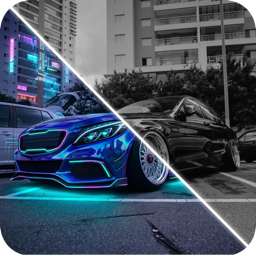
How AI Car Redesign Works (and What It Still Gets Wrong)
A plain-English explanation of how AI car redesign edits a photo of your car, why results vary between runs, common errors, and how to get realistic output.
By Ayoub Farid · · 3 min read
You upload a photo of your silver coupe, tap "anodized bronze" and seconds later it's bronze, reflections and all. What actually happened, and why do some results look perfect while others give your car five wheel nuts on a four-lug hub? Here's a plain-English explanation.
Image editing models in one paragraph
Modern image models learn from huge numbers of images how shapes, materials and light behave. Given your photo and an instruction, an editing model produces a new image that follows the instruction while staying as close as possible to the original. It doesn't have a 3D model of your car; it predicts what the edited photo should look like.
Why it works so well for cars
- Cars are well-represented in training data, from every angle and in every color.
- Paint behaves predictably. Reflections, highlights and shadows follow rules the model has learned.
- Edits are local. Changing color or wheels leaves most of the image alone, so structure is preserved.
Why results vary
The same request can give different results because generation involves randomness. That's a feature: run a prompt three times and pick the best. It's also why our prompt guide recommends changing one thing at a time.
Common errors to look for
| Error | Where to look |
|---|---|
| Wheel details wrong (lug count, spoke shape) | Zoom in on the wheels |
| Body lines softened | Door shut lines, character lines |
| Badges altered or invented | Grille, trunk |
| Plates or text garbled | Plates are usually blanked on purpose |
| Background changed | Buildings, other cars |
| Reflections inconsistent | Hood and roof |
None of these matter much for judging a color or a style, but they do matter if you plan to share a render as "real". Label AI images honestly.
What AI can't know
- Fitment. The model doesn't know your offset, brakes or arch clearance. See wheel offset explained.
- Exact film color. It approximates; screens vary.
- Part availability. It draws a plausible body kit, not one you can buy.
- Legality. It will happily draw tint, lights or ride heights that are illegal where you live. Check are car mods legal?
Getting realistic results
- Start with a sharp, well-lit photo; see photo tips for AI.
- Use specific terms and say what to keep.
- Generate a few variations.
- Compare with the original using a before/after slider.
Try it yourself
CarForge runs these models for you: pick a style, color or accessory, or describe your own idea, and compare the result with your original photo. It's the quickest way to test a build idea; see the AI car design app guide.
Frequently asked questions
Does AI car design use a 3D model of my car?
Not usually. Photo-editing models predict an edited version of your 2D photo, which is why they work on any car without a model library.
Why does my car look slightly different after an AI edit?
Small details can shift because the model regenerates the image. Ask it to keep everything else unchanged and try another run.
Can I use AI car renders commercially?
Check the app's terms. Always label AI images as renders, not real photos.
Is AI good enough to replace a designer?
For exploring ideas quickly, it's excellent. For production liveries and exact parts, a human designer and real samples are still needed.
Try it on your own car
Identify any car. Redesign yours in seconds.
Snap a photo to get the make, model and specs, or try paint, wraps, wheels, body kits and 16+ AI styles on your own car. On iPhone and iPad.
Download CarForge